
HomeBlogs
Pharmacy App for Patients: A Practical Owner's Guide
RevealSite Team
June 16, 2026 · 9 min read
Key Takeaways
- ✓A pharmacy app for patients handles refills, reminders, secure messaging, and family medication profiles in one place.
- ✓An app is one communication channel, not a turnaround plan; many independents get most of its value from SMS and email first.
- ✓Refill and reminder features tie most directly to adherence, where about half of chronic patients fall short.
- ✓A fast mobile website plus SMS reaches every patient at the lowest cost and protects local search visibility.
- ✓Apps work best as the top layer of a connected plan spanning website, text, email, and reviews.
A pharmacy app for patients sounds like an obvious upgrade. Refills in a tap, reminders that push straight to a phone, messaging that skips the hold music entirely. A vendor demo makes it look like the fix for every patient who drifts to the chain down the road, and for a busy owner watching prescriptions walk out the door, that pitch lands.
The reality is more complicated. An app is a real commitment of money and attention, and it only works for patients who download it, keep it, and turn on notifications. For a lot of independent pharmacies, it ends up solving a problem that two-way text and email already handle at a fraction of the cost. That does not make an app a bad idea. It makes it a decision worth running the numbers on before you sign anything.
This guide walks through what these apps actually do, the honest test for whether your pharmacy needs one, what the different options cost, and how an app fits the wider way you communicate with patients rather than replacing it.
What is a pharmacy app for patients, and what does it actually do?
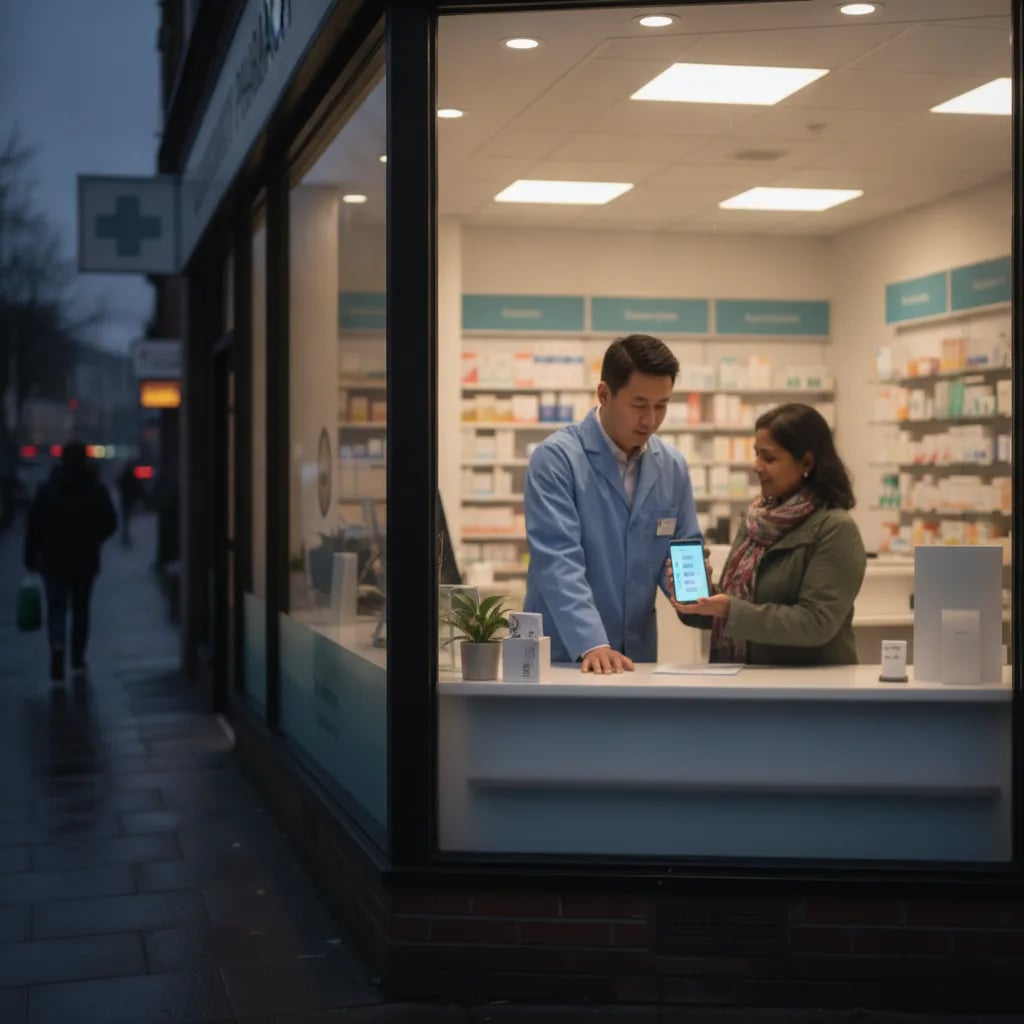
A pharmacy app for patients is a downloadable mobile application that lets them manage prescriptions and communicate with your pharmacy from their phone. The core jobs are refill requests, dose and pickup reminders, secure messaging, and access to a personal medication profile, all in one place instead of scattered across calls and texts.
Most apps cover a predictable set of tasks that patients would otherwise handle by phone:
- Refills: request a refill by scanning a label or tapping a saved medication.
- Reminders: get a nudge when a refill is due or a dose is coming up.
- Messaging: reach your team without sitting on hold.
- Transfers: move a prescription in from another pharmacy.
- Family profiles: manage the whole household from one login.
Some apps add delivery tracking, appointment booking for vaccines, and a record of past pickups, though the refill-and-reminder core is what most patients actually use.
The point is consolidation. Instead of a patient remembering your phone number, your hours, and which medication is due when, the app holds it for them. That convenience is exactly what pulls patients toward one pharmacy over another, a pattern covered in how patients choose a pharmacy.
It helps to know what an app really is before you compare vendors. Mechanically, it is a front end on your pharmacy management system that reads refill status, sends requests, and routes messages to your staff. It is not a clinical or dispensing system, and it is not the same as a mobile website, which loads fresh each visit instead of sending push notifications. Keeping that clear stops you from paying app prices for something a fast website would do.
Does your pharmacy actually need a mobile app?
Maybe not yet. An app is one communication channel, not a turnaround plan, and it competes for budget with tools you may already have. Before building one, ask whether text and email already reach your patients where they are, because for many pharmacies they do most of the job an app would.
Adherence is the real problem worth solving. About 50% of patients with chronic conditions do not take medications as prescribed, a gap tied to roughly $528 billion in annual US morbidity and mortality cost, according to research indexed by the National Institutes of Health. An app can chip at that through reminders and easy refills, but so can a well-run SMS program. If you have not yet set up pharmacy text message marketing or automated refill reminders, those deliver a large share of an app's value at a fraction of the cost and effort.
An app starts to make sense when you have high prescription volume, a loyal base that already opts into your messages, and patients asking for one. It makes less sense when your patient list is small, your margins are tight, or you have not yet built out a patient email list. Start with the cheaper channels, measure response, and let demand tell you whether an app is the next step.
There is also an adoption problem worth naming early. An app only works for patients who download it and turn on notifications, and a meaningful share never will, especially older patients who fill the most prescriptions. So an app rarely replaces anything; it adds a layer for the patients who want it. A simple test: spend a week tallying inbound calls by reason. If most are refills and pickup questions, an app can offload them. If patients mostly want a person, the app will sit unused while the phone keeps ringing.
Before committing, an app is likely worth it only if you can answer yes to most of these:
- Volume: you fill enough prescriptions that self-service refills would noticeably cut phone time.
- Demand: patients have actually asked for an app, not just praised the idea.
- Foundation: your mobile site, SMS, and email are already running well.
- Budget: you can fund both the build and the ongoing upkeep without starving other channels.
Core features that move adherence and retention
The features that matter are the ones tied to a measurable outcome: more on-time refills, fewer abandoned scripts, and patients who stay. A pharmacy app earns its cost when it shortens the path between a patient remembering a medication and actually picking it up.
Features that pay for themselves
The four tools most tied to on-time refills and retention.
One-tap & scan-to-refill
Lower effort means higher refill rates. The fewer steps between remembering and requesting, the more scripts get filled on time.
Push + SMS fallback
Push for app users, text for everyone else, so no patient is left out of a reminder.
Secure messaging
Questions answered without a phone queue, which lifts satisfaction and frees up staff.
Family & med-sync profiles
Caregivers managing several people stay organized and refill the whole household together.
Refill and reminder tools sit at the center. Pharmacist-led adherence programs in community pharmacy trials raised the share of adherent patients from the low-to-mid 70s into the 77.5% to 83.6% range, according to a study in the American Journal of Managed Care. App reminders extend that work to the patient's pocket, where most digital activity now happens, since mobile devices generated 62.54% of global website traffic in Q4 2024 per Statista.
Convenience like this is also what keeps patients from drifting to a chain, which is the heart of pharmacy patient retention.
One caution on features: more is not better. Apps that bolt on loyalty points, news feeds, and health trackers tend to confuse patients and inflate the build cost without lifting refills. The features that move adherence are the boring ones, refill and reminder, done so smoothly a patient never thinks about them. If a vendor leads a demo with everything except the refill flow, that is a signal to look closer at the part that actually pays for itself.
It also helps to define success before you launch. Pick two or three numbers you can track, such as the share of refills coming through the app, the percentage of app users who enable push notifications, and your 90-day retention of app installers. Without those, an app becomes a line item nobody can defend at renewal. With them, you learn fast whether the app is doing the job or whether your text program was already doing it cheaper.
How much does a pharmacy app cost, and what are the alternatives?
A custom-built native app can run from tens of thousands of dollars upfront into ongoing maintenance, while a white-label or vendor app trades that for a monthly fee. For most independents, the honest question is not which app to build but whether a fast mobile website plus SMS already covers the need at a fraction of the price.
Three paths are worth weighing:
| Option | Rough cost | Best fit |
|---|---|---|
| Custom native app | High upfront + ongoing dev | High-volume or multi-location pharmacies |
| White-label vendor app | Monthly subscription | Single-store owners wanting an app fast |
| Mobile-first website + SMS | Lowest, no app store needed | Most independents starting out |
The website-plus-SMS route is easy to overlook, but it reaches every patient without asking them to download anything. It also has to be fast: web pages load 70.9% slower on mobile devices than on desktop, according to HubSpot, and a sluggish mobile experience pushes patients away before they ever reach a refill button. A quick, well-built mobile site does double duty, serving patients and protecting your local visibility.
Spend in this order
Each step is cheaper than the next and tells you whether the bigger investment is warranted.
1
Get the mobile site fast
Lowest cost, reaches every patient, protects local search. Start here.
2
Turn on reminders + two-way text
Captures most of an app's adherence value at a fraction of the price.
3
Build the email list
A second owned channel before any app spend.
4
Revisit an app
Only once patients are actively asking and the data backs it.
How an app fits your broader patient communication strategy
An app is one layer in a system, not the system itself. It works best stacked on a fast website, active SMS and email, and a steady review presence, so a patient can reach you through whichever channel they already prefer. Treated as a standalone fix, an app underdelivers; treated as the top layer of a connected plan, it compounds.
Convenience is the through-line. Nearly 90% of the US population lives within 5 miles of a pharmacy, per the Journal of the American Pharmacists Association, so location alone rarely decides loyalty anymore. The pharmacy that is easiest to communicate with wins. An app, layered over the channels in the patient engagement library, makes you that pharmacy for the patients who want a phone-first experience, while text and email carry the rest.
The connected part matters more than any single channel. A patient might learn about your flu clinic from an email, book it through a text reply, and check the time later in the app. If those channels do not share the same information, the experience breaks and the patient notices. Whatever you build, the goal is one consistent message reaching patients through whatever door they choose to open, not four disconnected tools competing for the same attention. For the full picture of how these channels fit together, the guide to pharmacy patient communication software maps the systems that tie a website, SMS, email, and an app into one plan.
So should you build a pharmacy app for patients?
So the honest answer to "should I build a pharmacy app" is usually "not first." Get the mobile site fast, turn on reminders and two-way text, grow the email list, and watch what patients ask for. If demand for an app shows up on its own, you will have the patient base and the data to build the right one. If it does not, you will have spent your budget on the channels that were already moving refills.
Not sure whether an app or a stronger website-and-messaging stack fits your pharmacy?
RevealSite builds patient communication systems sized to independent pharmacies, from content and creative to the full marketing stack.
Request a Free DemoFrequently Asked Questions
Is a mobile app worth it for an independent pharmacy?▼
It depends on volume and demand. High-volume pharmacies with loyal, opted-in patients benefit most. Smaller stores usually get most of an app's value from text and email first, then add an app once patients ask for one.
What features should a pharmacy app for patients include?▼
Prioritize one-tap or scan-to-refill, push and SMS reminders, secure messaging, and family or med-sync profiles. These features connect most directly to on-time refills, fewer abandoned scripts, and patient retention.
How much does a pharmacy app cost?▼
A custom native app carries high upfront and ongoing development costs, while white-label vendor apps charge a monthly fee. A mobile-first website plus SMS is the lowest-cost option and reaches every patient without an app store.
Can a pharmacy app improve medication adherence?▼
It can help. Reminders and easy refills shorten the path to pickup, and pharmacist-led adherence programs have raised adherent-patient rates into the low 80s. A well-run SMS reminder program produces similar gains at lower cost.
Do patients actually download and use pharmacy apps?▼
Adoption varies widely. Younger, tech-comfortable patients install them readily, while older patients who fill the most prescriptions often will not. Plan for an app to serve a segment, not your whole base, and keep text and phone running alongside it.
Sources
- Medication Nonadherence and Associated Outcomes (NIH PMC)
- Community Pharmacy Automatic Refill Program Improves Adherence (AJMC)
- Share of Website Traffic From Mobile Devices (Statista)
- Mobile vs. Desktop Page Load Time and Conversion Rates (HubSpot)
- Pharmacy Access and Proximity in the US (Journal of the American Pharmacists Association)
Was this article helpful?