
HomeBlogs
Pharmacy Website Tips: Pages, Speed, and Conversions
RevealSite Team
May 10, 2026 · 13 min read
Key Takeaways
- ✓Google now ranks every website based on its mobile version first, making mobile speed the single most important technical factor for pharmacy sites.
- ✓Seven essential pages form the foundation of a high-performing pharmacy website: Home, About, Services, Prescription Refill, Contact, Insurance Info, and Blog.
- ✓Pharmacies ranking in Google's local 3-pack receive 126% more traffic than positions 4-10, and your website is the primary destination for 47% of those clicks.
- ✓75% of consumers regularly read online reviews before choosing a local business, so embedding review signals on your site directly affects new patient decisions.
- ✓Publishing 16 or more blog posts per month generates 4.5x more leads than publishing occasionally, positioning your pharmacist as the local health authority.
- ✓Track four metrics monthly to measure pharmacy website ROI: organic sessions, click-to-call rate, refill form submissions, and Google Business Profile website clicks.
Your pharmacy website is open 24 hours a day. It doesn't call in sick, take lunch breaks, or put patients on hold. But if it loads slowly, hides your phone number, or looks like it was built in 2012, it's turning away the very people you're trying to serve. These pharmacy website tips cover the pages you actually need, how to fix speed problems that kill conversions, and what makes a visitor pick up the phone or fill out a refill form instead of clicking back to Google.
Consider this: Google completed its mobile-first indexing rollout on July 5, 2024, meaning every pharmacy site is now ranked based on its mobile version first. If your mobile experience is slow or clunky, your desktop site's quality won't save you. The following sections walk you through exactly what to fix, what to build, and what to measure.
Why Does Your Pharmacy Website Matter More Than Ever?
A pharmacy website is your most visible employee and your most measurable marketing asset. It's where patients land after searching "pharmacy near me," and it's the first impression that determines whether they call, visit, or bounce to a chain competitor down the street.
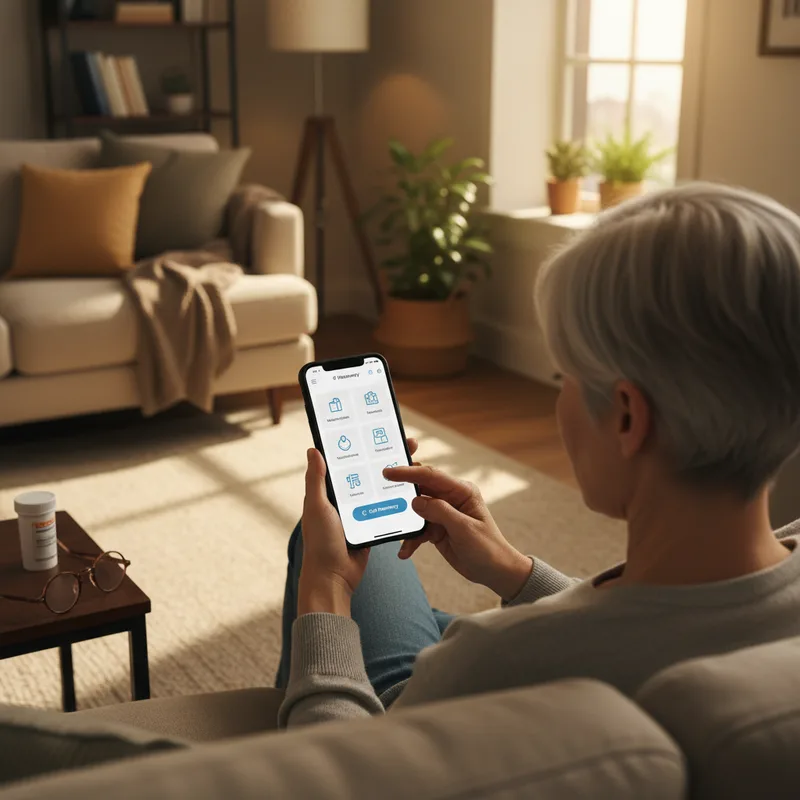
The numbers tell the story. According to Backlinko's analysis of local search data, 76% of consumers who run a "near me" search visit a related business within one day. That means three out of four people searching for a pharmacy in your area are ready to walk in today. But they'll only walk into yours if your website gives them a reason to choose you over the chain pharmacy with a bigger ad budget.
Your Google Business Profile drives much of this traffic. Research shows that 47% of all clicks on a GBP listing go directly to the website, with another 38% going to directions and 15% to phone calls. Your site is the destination for nearly half of those high-intent local clicks. If the page they land on is outdated or confusing, you've lost them.
That's why pharmacy website tips aren't optional reading anymore. They're the difference between a site that generates 10-15 new patients per month and one that sits there collecting digital dust. And for an independent pharmacy competing against chains with massive marketing budgets, your website is one of the few channels where you can compete on equal footing.
Related: Already ranking but not showing up in the map pack? Start with your Google Business Profile. → Google Business Profile for Pharmacies: Optimization Guide
Which Pages Does Every Pharmacy Website Need?
Every pharmacy website needs at least seven core pages to rank well in local search and convert visitors into patients. Missing any of these creates gaps that cost you both rankings and trust. Here's the full list with what each page should include and why it matters.
| Page | Must-Have Elements | Why It Matters |
|---|---|---|
| Homepage | Location, hours, phone (tap-to-call), top 3-4 services, pharmacist photo, Google reviews widget | First page most visitors see from GBP or organic search. Must answer "who, where, when" in 5 seconds. |
| About / Meet the Pharmacist | Pharmacist headshot, credentials, personal story, pharmacy history, community involvement | Chain pharmacies are faceless. A real name and photo create the trust advantage independents own. |
| Services (one page per service) | Service description, who it's for, what to expect, pricing if possible, CTA to call or schedule | Individual pages rank for specific queries like "flu shot near me" or "compounding pharmacy [city]." |
| Prescription Refill / Transfer | HIPAA-compliant refill form, transfer instructions, processing time estimate, phone fallback | Keeps refill workflow inside your pharmacy instead of pushing patients to chain apps. Every submission is a trackable conversion. |
| Contact / Hours / Location | Address, embedded Google Map, hours (including holidays), phone, fax, email, parking info | Patients check hours before visiting. Inaccurate or missing hours cost you walk-ins and erode trust. |
| Insurance / Pricing Info | Accepted insurance plans, cash-pay pricing policy, discount program info, Medicare/Medicaid status | Cost is the #1 question patients search before choosing a pharmacy. Answering it on-site reduces phone call volume and builds confidence. |
| Blog / Health Resources | Patient-education articles, seasonal health topics, medication guides, pharmacist Q&A content | Builds local SEO authority and positions your pharmacist as the trusted neighborhood health expert. |
Most pharmacy sites get the Homepage and Contact pages right but skip the rest. A few of these deserve extra attention.
Services pages
Each service you offer, whether that's immunizations, compounding, medication therapy management, point-of-care testing, or pet medications, deserves its own page. A single "Services" page that lists everything in bullet points won't rank for specific searches like "flu shot near me" or "compounding pharmacy in [city]." Individual service pages give Google clear signals about what you do and where you do it. They also give patients the detailed information they need before committing to a visit.
Prescription Refill and Transfer
If patients can't request a refill or transfer from your website, you're pushing them toward apps that chains already own. A simple, HIPAA-compliant form keeps the workflow inside your pharmacy and gives you a data point you can track. Every submission is a conversion. Include a transfer option too, because a patient moving their prescriptions to your pharmacy is the single highest-value action your website can generate.
About and Meet the Pharmacist
Patients want to know who's handling their medications. A headshot and a two-paragraph bio can be the deciding factor for someone choosing between you and the chain across the street. Include credentials, years of experience, and one or two personal details that make your pharmacist relatable.
Your pharmacy website structure is the foundation everything else builds on. Get these seven pages right, and your SEO, paid ads, and social media all have somewhere useful to send traffic.
Need a pharmacy website that actually converts?
RevealSite builds high-performing websites paired with local SEO, specifically for independent pharmacies.
See Smart Websites & SEO →How Do You Fix a Slow Pharmacy Website?
If your pharmacy website takes more than two or three seconds to load on a phone, most visitors won't wait. They'll hit the back button and tap the next result, which is usually a chain pharmacy. Fixing a slow site is one of the highest-return pharmacy website tips because it affects every visitor, every page, and every conversion opportunity at once.
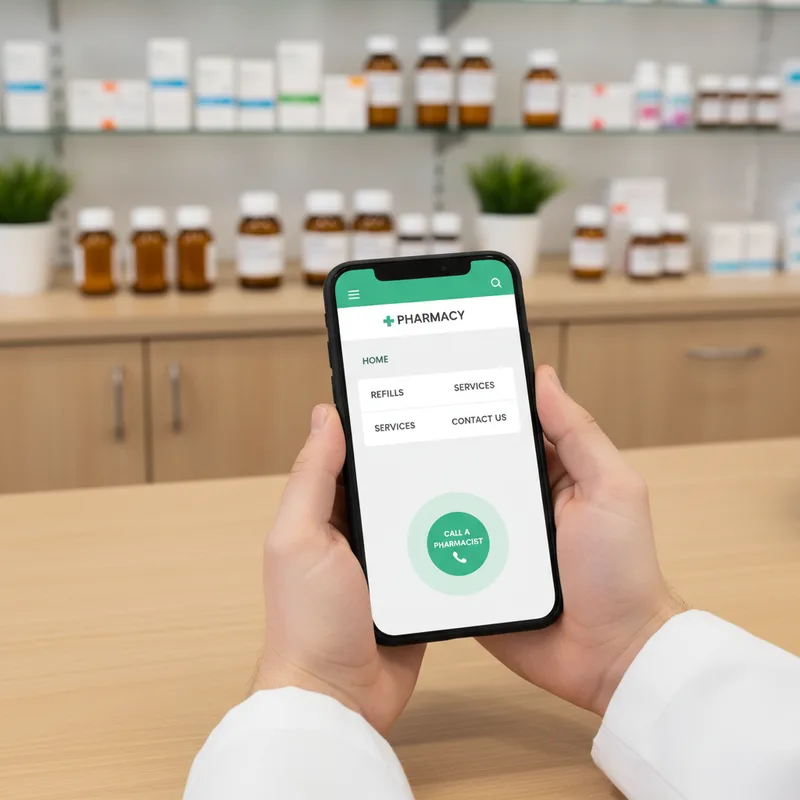
Speed matters more for pharmacies than most people realize. According to Statista's traffic analysis, mobile devices generated 62.54% of global website traffic in Q4 2024. Your patients are overwhelmingly on phones. And HubSpot's research found that web pages load 70.9% slower on mobile than desktop. So the version of your site that most patients see is also the slowest version.
Google measures your site speed using three scores called Core Web Vitals. You don't need to memorize the names, but here's what they check: how fast your main content appears (under 2.5 seconds is good), how quickly the page responds when someone taps a button (under 200 milliseconds), and whether elements jump around while loading (they shouldn't). You can check your scores for free at PageSpeed Insights by entering your pharmacy's URL.
The fixes aren't complicated, but they do require attention:
- Compress images to under 200 KB each. A single uncompressed photo of your storefront can add 3-4 seconds to load time on a 4G connection.
- Remove or defer render-blocking scripts. Chat widgets, analytics trackers, and social media embeds that load before your main content are the most common culprits. Ask your web developer to defer them or remove the ones you don't actually use.
- Upgrade your hosting. Shared hosting plans at $5/month weren't built for performance. A managed WordPress host or pharmacy-specific platform typically cuts load time by 40-60%.
- Enable browser caching and a CDN. Returning visitors and patients in nearby regions load assets from cached copies instead of re-downloading everything.
What Turns a Pharmacy Visitor into a Patient?
Three elements turn pharmacy website visitors into patients: frictionless contact options, visible trust signals, and a clear reason to choose your pharmacy over the alternative. Remove any one of these, and your conversion rate drops, regardless of how much traffic you're getting.
Click-to-call and contact placement
Most healthcare appointments are still scheduled by phone. Your phone number needs to be a tappable button on mobile, not just text buried in the footer. A sticky header with a click-to-call button keeps the most important conversion action visible as patients scroll through your content. Put your hours right next to the number. Nothing kills a call faster than uncertainty about whether you're open.
Trust signals that actually work
According to the BrightLocal Local Consumer Review Survey, 75% of consumers always or regularly read online reviews before choosing a local business. For pharmacies, that means embedding your Google reviews on your homepage isn't a nice-to-have. It's a conversion requirement.
Beyond reviews, three other trust signals move the needle for pharmacy sites:
- Pharmacist credentials and headshot on the About page and homepage sidebar
- Accreditation badges (PCAB, state board, ACHC if applicable) displayed near the footer
- Real photos of your pharmacy, not stock images of smiling people in lab coats who clearly don't work there
A clear reason to choose you
Contact buttons and reviews get a patient to consider you. But they won't convert unless your site answers one question: why should I come here instead of the chain pharmacy two blocks away? Most independent pharmacy websites fail this test. They list services without explaining what makes those services different.
Your differentiators need to be specific and visible, not buried in an About page paragraph nobody reads. Think about what you actually offer that chains don't:
- Specialized services like compounding, veterinary medications, or medication therapy management deserve homepage real estate, not just a line item on a Services page
- Speed and convenience advantages matter more than you'd think. If your average wait time is 8 minutes while the chain down the road runs 25-40 minutes, say that on your site
- Pharmacist accessibility is your biggest edge. "Talk directly to your pharmacist, no appointment needed" is a conversion statement that no chain can match at scale
A pharmacy in Toledo that added a "Why Choose Us" section to its homepage with three specific differentiators, including free delivery within 5 miles, no-wait immunizations, and pharmacist-led medication reviews, could reasonably expect to see its conversion rate climb. The point isn't to brag. It's to answer the question every visitor is already asking themselves.
A pharmacy in a mid-sized metro area with 200 monthly website visitors and a 2% conversion rate picks up 4 new patients per month. Improving that rate to 4% through better trust signals, contact placement, and clear differentiation doubles the number to 8 without spending a dollar more on marketing. That's the math behind good pharmacy reputation management.
Turn your pharmacy website into a patient-generating machine
See how RevealSite builds conversion-focused websites for independent pharmacies, backed by local SEO and ongoing optimization.
Request a Free Demo →Pharmacy Website Content That Ranks and Converts
Patient-education content is the highest-ROI pharmacy website investment because it builds local SEO authority, earns trust, and gives you something to share across email, social, and in-store. A blog isn't a marketing extra. It's the engine that makes every other channel more effective.
The data backs this up. Semrush's content marketing research found that businesses publishing 16 or more posts per month generate 4.5x more leads than those publishing occasionally. You don't need 16 posts per month to see results from your pharmacy blog, but even two to four posts per month on topics your patients are actually searching for will move the needle.
What should you write about? Start with the questions your pharmacists answer every day:
- How to take a specific class of medication correctly
- What to expect from a flu shot or COVID booster
- How to use a blood pressure monitor at home
- When to talk to your pharmacist about drug interactions
- What your insurance formulary means for out-of-pocket costs
Each of these topics maps to real search queries with local intent. A post titled "How to Check Your Blood Pressure at Home" doesn't just attract traffic. It positions your pharmacist as the trusted local expert, which is exactly the advantage independents have over chains. Your pharmacist has a name, a face, and 15 minutes to explain something. The chain pharmacy down the road doesn't offer that.
Structure your content with clear headings, short paragraphs, and direct answers to patient questions. This format performs well in traditional search results and in AI-generated summaries, where answer-ready content gets cited at a much higher rate than long, unstructured pages. The right content strategy compounds over time, with each post adding a new entry point to your site.
Don't have time to write pharmacy blog content?
RevealSite's content team produces patient-education posts, pharmacist-authored articles, and SEO-optimized pages for independent pharmacies.
Explore Creative & Content →How Should You Measure Pharmacy Website Performance?
Measure your pharmacy website performance with four metrics that connect directly to patient acquisition: organic sessions, click-to-call rate, refill form submissions, and Google Business Profile website clicks. Vanity metrics like total pageviews or time on site don't tell you whether the site is actually producing patients.
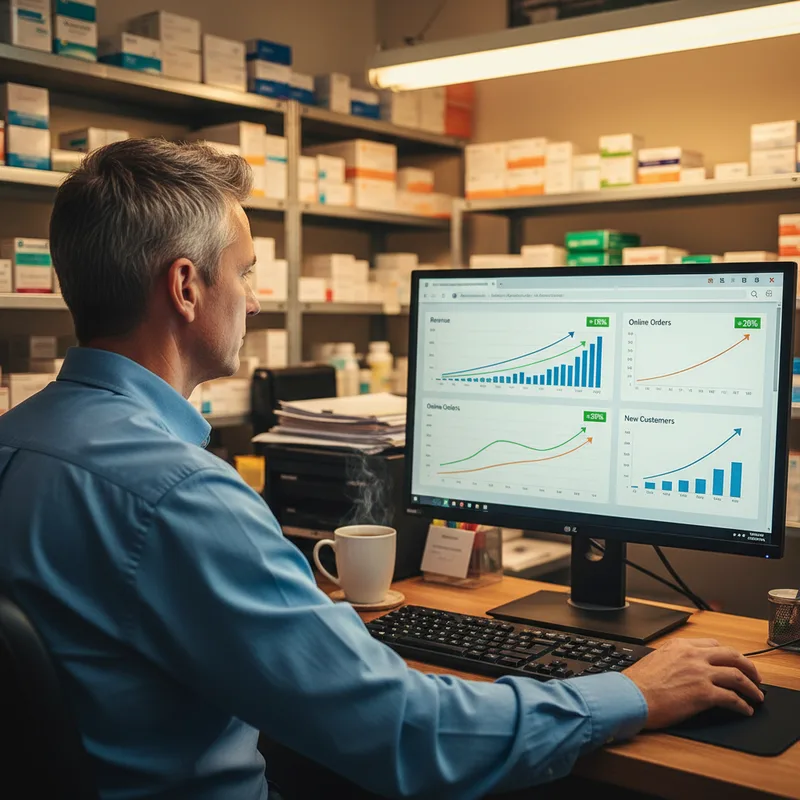
Here's how to think about each one:
- Organic sessions tell you how many people find your site through search without paid ads. If this number is flat or declining month over month, your SEO needs attention. A healthy independent pharmacy site should see 300-800 organic sessions per month in a mid-sized market.
- Click-to-call rate measures how many mobile visitors tap your phone number. Track this through Google Analytics event tracking or a call tracking number. If you're getting 500 mobile visitors and fewer than 25 calls, your phone number isn't prominent enough.
- Refill form submissions are your most direct digital conversion. Each submission represents a patient choosing your pharmacy over a chain app. Track these as conversions in your analytics platform.
- GBP website clicks show how many patients moved from your Google Business Profile to your site. This is visible in your GBP dashboard under "Performance." A declining trend here often means your profile needs updated photos, posts, or review responses.
Review these four metrics monthly. Don't obsess over daily fluctuations. What you're looking for are trends: is organic traffic growing, are more visitors converting, and is your GBP sending you a steady stream of high-intent clicks? If your pharmacy SEO strategy is working, you'll see these numbers improve together over a 90-day window.
The pharmacies that grow fastest aren't the ones with the fanciest websites. They're the ones that measure what matters, fix what's broken, and keep improving quarter over quarter. A pharmacy marketing partner can help you set up tracking and interpret the data if analytics isn't your strength.
Pharmacy website tips only work if you act on them. The single biggest takeaway from everything above is this: your website is your most scalable patient acquisition tool, and it's also the one most pharmacy owners neglect. Start with speed. Fix your Core Web Vitals. Then build out the pages and content your patients are already searching for. Every month you wait is another month of phone calls, refill requests, and walk-ins going to someone else.
Ready to Turn Your Pharmacy Website into a Growth Engine?
RevealSite builds and optimizes pharmacy websites that rank locally, convert visitors, and grow your patient base. See what we can do for your pharmacy.
Request a Free Demo →Explore more pharmacy growth guides and case studies.
See Success Stories →Frequently Asked Questions
How much does a pharmacy website cost?▼
A professional pharmacy website typically costs $2,000-$8,000 upfront for design and development, plus $100-$300 per month for hosting, maintenance, and security updates. The price depends on the number of service pages, custom features like online refill forms, and whether you need ongoing SEO support.
What are the most important pharmacy website tips for mobile users?▼
Compress images to under 200 KB, remove render-blocking scripts, and make your phone number a tap-to-call button. Mobile pages should load in under 2.5 seconds (Largest Contentful Paint) to pass Google's Core Web Vitals threshold and keep visitors from bouncing.
Should my pharmacy website have a blog?▼
Yes. A pharmacy blog builds local SEO authority and positions your pharmacist as a trusted health resource. Patient-education posts on topics like medication management, seasonal vaccines, and chronic conditions attract organic traffic and give you content to share on social media.
How do I get my pharmacy website to show up on Google Maps?▼
Claim and optimize your Google Business Profile with accurate hours, services, and photos. Your website needs matching NAP (name, address, phone) data, Pharmacy schema markup, and links back to your GBP listing. Consistent local citations across directories reinforce your map-pack ranking.
What pharmacy website tips improve patient conversions?▼
Add a sticky click-to-call button on mobile, place prescription refill forms above the fold, embed Google reviews on your homepage, and include a pharmacist headshot with credentials on the About page. Each element reduces friction between a visitor's intent and the action you want them to take.
How often should I update my pharmacy website?▼
Review service pages quarterly to reflect new offerings like immunizations or point-of-care testing. Publish blog content at least twice per month. Check hours and holiday schedules monthly. Run a Core Web Vitals audit every 90 days to catch speed regressions before they affect rankings.
Does my pharmacy need HIPAA-compliant web forms?▼
Any form that collects protected health information, such as prescription refill requests with medication names, requires HIPAA-compliant hosting and encryption. Use SSL, a signed Business Associate Agreement with your hosting provider, and never store PHI in plain-text email or unencrypted databases.
Sources
- Statista: Share of Website Traffic Coming from Mobile Devices (Q4 2024)
- HubSpot: Page Load Time and Conversion Rates (2024)
- web.dev: Core Web Vitals Business Impact Case Studies (2024)
- Backlinko: Local SEO Statistics (2024)
- BrightLocal: Local Consumer Review Survey (2024)
- Semrush: Content Marketing Statistics (2024)
Was this article helpful?