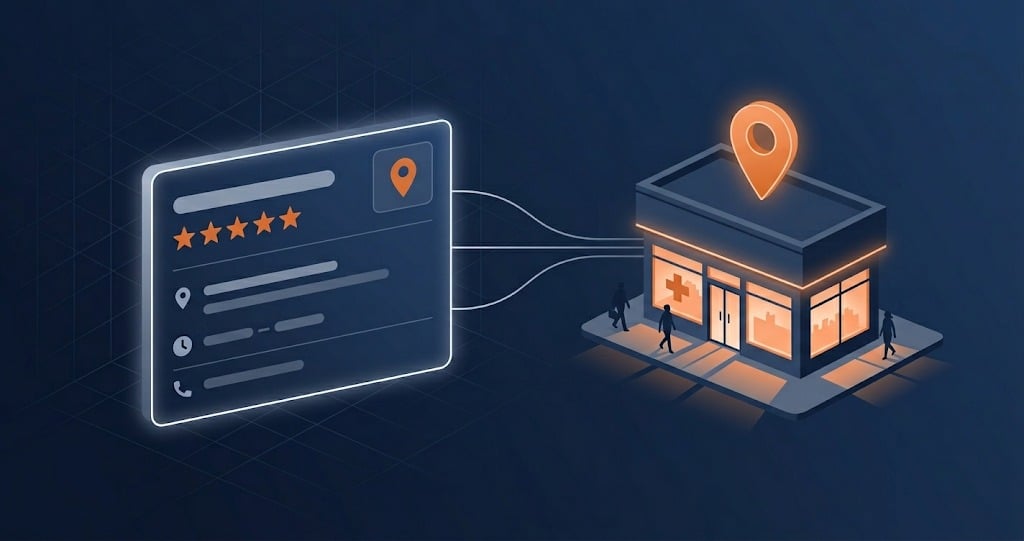
Google Business Profile for Pharmacies: Optimization Guide
RevealSite Team
May 10, 2026 · 12 min read
Key Takeaways
✓86% of Google Business Profile views come from discovery searches like 'pharmacy near me,' not branded queries, meaning your GBP is how most new patients find you.
✓42% of all local searchers click a result inside the Google Maps Pack, making your GBP listing the single most clicked element in local pharmacy search results.
✓Pharmacies with 20 or more photos on their GBP receive significantly more direction requests and website clicks than those with fewer than five.
✓Posting weekly updates on your GBP signals freshness to Google's algorithm and gives patients a reason to engage with your profile directly.
✓Review quantity, quality, and response rate are direct inputs to Google's local ranking algorithm, making review management inseparable from GBP optimization.
Your Google Business Profile is the most important free tool your pharmacy owns. It's the listing that controls what patients see in Google Maps, the local 3-pack, and "near me" search results. When someone searches "pharmacy near me" and your profile appears with a 4.8-star rating, current hours, and photos of your team, that patient is already halfway to choosing you before they've visited your website. That kind of visibility is exactly what our are built to capture, and it starts with getting Google Business Profile pharmacy optimization right from day one.
Build the presence your community trusts
Let us be your first step. Get in touch with our team today.
Most independent pharmacies have a Google Business Profile. Far fewer have optimized one. Birdeye's 2025 State of Google Business Profiles report found that 86% of profile views come from discovery searches, not branded queries, meaning most viewers have never heard of your pharmacy before. What they find determines whether they call, visit, or scroll on. This guide walks through every element of Google Business Profile pharmacy optimization, from setup to performance tracking.
Why Is Your Google Business Profile the Most Important Free Tool for Pharmacy Marketing?
Your Google Business Profile is the most important free tool for pharmacy marketing because it's where the majority of local patient discovery happens. When a patient searches for pharmacy services in your area, your GBP listing appears before your website, before your social media, and before any ad you're running.
What Do the Local Search Numbers Show?
Backlinko's local SEO data shows that 42% of all local searchers click inside the Google Maps Pack. That's nearly half of all local clicks going to the three businesses Google features at the top of the results. If your pharmacy isn't one of those three, you're competing for scraps from the remaining 58%. Semrush's local SEO research found that businesses ranking in that 3-pack get 126% more traffic and 93% more calls, clicks, and direction requests than those sitting in positions 4 through 10.
Birdeye found that 47% of all GBP interactions result in a website visit, with the rest split between calls and direction requests. Your profile isn't just a listing; it's a free conversion tool driving calls, walk-ins, and website traffic at once.
For a deeper look at how your GBP fits into a broader strategy, the independent pharmacy marketing guide covers all channels. But if you only have time to optimize one thing this month, make it your Google Business Profile.
How Does This Compare to Chain Pharmacies?
Consider how this compares to chains. CVS and Walgreens have thousands of locations, but their profiles are managed by centralized corporate teams that update them infrequently and generically, while yours can have more photos, more recent posts, and better review responses than the chain two blocks away. That local specificity is a ranking advantage no corporate budget can replicate. The pharmacies winning the map pack in 2026 aren't the biggest; they're the most active and complete on Google.
How Do You Set Up and Verify a Google Business Profile for Your Pharmacy?
Setting up and verifying a Google Business Profile for your pharmacy takes 15-30 minutes of active work plus a waiting period for verification, straightforward as long as you get the details right from the start.
Claiming vs. Creating a Profile
Most pharmacies already have a Google Business Profile, since Google generates listings automatically from public data. Search for your pharmacy at business.google.com; if a listing exists, claim it by verifying ownership, and if not, create one from scratch.
Verification Methods
Google offers several verification options depending on your business type and location, most commonly postcard verification, where Google mails a PIN to your pharmacy's physical address. Phone and email verification are faster when available, and video verification, a short walkthrough of your pharmacy's signage and interior, is increasingly common.
Postcard verification: 5-14 days, mailed to your pharmacy's physical address.
Phone or email verification: often same-day, when available for your listing.
Video verification: a short walkthrough of your pharmacy, usually processed within 48 hours.
One common issue: if someone else (a previous owner, a marketing agency, or Google itself) already manages your listing, request ownership transfer instead of creating a duplicate, which can take up to seven days. Duplicate listings confuse Google's algorithm and split your reviews across two profiles, weakening both.
Choosing the Right Categories
Your primary category should be "Pharmacy," which carries the most weight in Google's ranking algorithm for pharmacy-related searches. Add secondary categories for specialized services you offer, "Compounding Pharmacy," "Drugstore," "Medical Supply Store," or "Health Consultant," each expanding the range of searches your profile can appear for. The NCPA 2024 Digest reported that 81% of independents now offer MTM, yet most don't have a corresponding category on their GBP. That's visibility left on the table.
What Information Should Every Pharmacy GBP Include?
A complete Google Business Profile pharmacy listing includes far more than your name, address, and phone number. Google rewards completeness with higher visibility, and patients use the details on your profile to decide whether to visit without ever clicking through to your website.
GBP Element
Bare Minimum
Fully Optimized
Business Name
Name only
Exact legal name matching all citations
Hours
Regular hours only
Regular + holiday + special hours updated seasonally
Description
Empty or one sentence
750 characters with services, location, and differentiators
20+ across storefront, interior, team, and services
Services
None listed
Every service with descriptions and price ranges
Posts
None
Weekly updates (health tips, service highlights, events)
Reviews
Under 20, no responses
150+ reviews, 100% response rate, 4.5+ average
Writing Your Business Description
Your business description has a 750-character limit; use every character. Start with what you do and where you're located: "Smith Family Pharmacy is an independent pharmacy in Cedar Park, TX, offering prescription filling, compounding, immunizations, and medication therapy management." Then add what makes you different from chains: years of operation, specialized services, insurance networks, languages spoken. Avoid superlatives like "best pharmacy in town"; Google may reject promotional language.
Services and Attributes
The Services section lets you list every service with a short description and optional price: compounding, immunizations (specify which ones), MTM, point-of-care testing, pet medications, delivery, drive-through, and anything else a patient might search for. Attributes like "wheelchair accessible" and "free Wi-Fi" add filterable detail; complete every applicable one.
Hours and Special Hours
Inaccurate hours are one of the fastest ways to lose patient trust. Update your profile for every holiday, early closure, and seasonal change; Google prominently displays "Open now" or "Closed," and a patient who arrives to a locked door will leave a one-star review that costs more than the closure itself.
Want a Fully Optimized Pharmacy Website to Match Your GBP?
RevealSite builds pharmacy websites with local SEO and GBP optimization built in from day one.
How Do GBP Posts, Photos, and Updates Boost Your Pharmacy's Rankings?
Posts, photos, and updates are the ongoing signals that tell Google your pharmacy is active, relevant, and engaged with patients. Consistent Google Business Profile pharmacy activity is what separates top-ranking profiles from stale ones; a listing completed once and never touched again loses ground to competitors who update weekly.
GBP Posting Strategy
Post at least once per week; GBP posts remain visible for seven days before archiving, so weekly posting keeps content fresh. Rotate four content types:
Weekly GBP Posting Calendar
Week 1
Health Tip
Seasonal health advice, medication reminders, or wellness tips patients can act on
Week 2
Service Spotlight
Highlight a specific service: compounding, MTM, immunizations, delivery, pet meds
Week 3
Team or Community
Staff introduction, community event, local partnership, or behind-the-scenes moment
Week 4
Offer or Update
New hours, new service launch, seasonal availability (flu shots, travel vaccines)
Each post should include an image (a branded graphic beats text-only), a brief description under 300 words, and a "Call now" or "Learn more" button when relevant.
Photo Strategy
Pharmacies with 20+ photos receive significantly more direction requests and website clicks than those with under five. Upload across these categories:
Exterior: helps patients recognize the building when they arrive
Interior: shows the environment is clean, modern, and welcoming
Pharmacy counter: builds confidence in your professional operation
Team members: puts faces to the business, especially the pharmacist
Add 2-4 new photos monthly, and name files descriptively before uploading ("smith-pharmacy-compounding-lab-cedar-park.jpg") since Google reads file names as context.
One overlooked category: photos of services in action, compounding lab setups, immunization consultation areas, drive-through windows, all without patient information visible. These help patients know what to expect and give Google real visual signals. Skip stock photos; Google's algorithms and patients can both tell the difference.
Managing Google Q&A
The Q&A section is open to the public, so unmonitored, random users may post incorrect answers. Proactively seed 5-10 common questions yourself: "Do you offer compounding?", "What insurance do you accept?", "Do you have a drive-through?" This turns it into a mini-FAQ that serves patients and gives Google keyword-rich, indexable content.
How Should You Handle Reviews on Your Google Business Profile?
Reviews on your GBP are both a ranking factor and a conversion factor: Google weighs quantity, quality, velocity, and response rate, while patients weigh whether to trust you with their health, both evaluating every new review at once.
BrightLocal's 2024 survey found that 88% of consumers will use a business that responds to all its reviews, versus just 47% for businesses that don't respond. Their 2025 update showed 85% of consumers now use Google specifically for local business reviews. The platform dominance is only growing.
Generating Reviews Through Your GBP Link
Your GBP has a dedicated review link, found under "Ask for reviews" in the dashboard. Shorten it or convert it to a QR code for your checkout counter; it bypasses the need to search for your pharmacy on Google, and every step of friction you remove increases completion rate.
Responding to Reviews Inside GBP
Respond to every review within 48 hours. Thank positive reviewers by name in 2-3 sentences; for negative ones, acknowledge the concern with empathy and offer to resolve it offline. Never confirm or deny that the reviewer is a patient, and never reference any medications, conditions, or services they may have received. HIPAA applies to your public responses even when the patient disclosed their own information.
You can't delete reviews, but you can flag reviews that violate Google's content policies: spam, fake reviews, reviews with no actual customer experience, reviews containing hate speech, and reviews posted by competitors. Flag them through your GBP dashboard and allow 5-10 business days for Google's team to evaluate. It's a tool for genuine policy violations only, not a strategy for managing negative feedback.
Let RevealSite Handle Your Review Strategy
From review generation to HIPAA-compliant responses, RevealSite manages the reputation engine that helps you outrank chain pharmacies in local search.
How Do You Track GBP Performance and Know What's Working?
Your Google Business Profile pharmacy dashboard includes a built-in analytics section called GBP Insights, showing exactly how patients find and interact with your profile. Checking it monthly tells you whether your optimization is translating into real patient activity or just cosmetic improvements.
Key Metrics to Track Monthly
Focus on these GBP Insights numbers:
Search queries: the actual terms patients typed to find your profile. Look for your target keywords ("pharmacy near me," "[city] pharmacy," service-specific terms) and note which ones are growing.
Profile views: how many times patients saw your listing in Search and Maps. A month-over-month increase means your visibility is improving.
Direction requests: the strongest intent signal available. A patient who clicks "Directions" is almost certainly coming to your pharmacy.
Phone calls: track call volume from your GBP listing. If calls increase after you complete your profile or start posting weekly, you have direct evidence that the optimization is working.
Website clicks: how many patients clicked through to your pharmacy website from your GBP listing. Birdeye found that 47% of GBP interactions include a website visit.
Photo views: compare your photo view count to competitors in your area. GBP shows you this comparison directly. More views typically correlate with higher engagement across all metrics.
Benchmarks for Pharmacy GBPs
General targets: a 15-30% increase in GBP actions (calls, directions, clicks) within 90 days of active optimization, with measurable profile-view improvement by 60 days if you're posting weekly and generating reviews. Flat numbers after 90 days mean something needs adjustment, usually the description, categories, or review response rate.
Your search query report deserves special attention: it shows exactly what patients typed before finding your profile. Queries like "compounding pharmacy near me" with views but no calls suggest your profile doesn't make compounding clear enough; frequent "24 hour pharmacy" searches when you're not open 24 hours call for a clarifying note. Most pharmacy owners never check this report.
How Can You Self-Assess Your Pharmacy's Google Business Profile?
Google Business Profile Optimization Self-Assessment
Profile Completeness
Check each item you have completed.
Your score: count your checks out of 5
Content & Activity
Check each item you have completed.
Your score: count your checks out of 4
Reviews & Reputation
Check each item you have completed.
Your score: count your checks out of 4
Score below 8 out of 13, and your profile has gaps directly costing you visibility and patients, most fixable in a single afternoon. Start with the highest-impact items: business description, services list, and review response habit; those three alone can shift a profile from passive to active.
Optimizing your Google Business Profile pharmacy listing is the single highest-ROI activity in local search: it's the front door to your pharmacy for most new patients, and the asset your content, marketing, and reputation strategy all feed into. Every blog post, review, and ad eventually leads a patient back to your GBP. Make sure what they find is worth the trip.
Ready to Optimize Your Pharmacy's Google Presence?
See how RevealSite handles GBP optimization, review management, and local SEO so you can focus on patients.
How do I set up a Google Business Profile for my pharmacy?▼
Go to business.google.com and search for your pharmacy. If it already exists, claim it. If not, create a new listing. You'll need to verify ownership through a postcard, phone call, email, or video verification. The process takes 1-14 days depending on the method.
What category should I choose for my pharmacy on Google Business Profile?▼
Select 'Pharmacy' as your primary category. Add secondary categories for specialized services like 'Compounding Pharmacy,' 'Drugstore,' or 'Medical Supply Store.' Categories directly affect which searches your profile appears for.
How often should I post on my pharmacy's Google Business Profile?▼
Post at least once per week. Rotate between health tips, service spotlights, seasonal reminders, and community updates. Weekly posting signals activity to Google's algorithm and keeps your profile fresh for patients browsing your listing.
Do Google Business Profile posts help with pharmacy SEO?▼
Yes. GBP posts contribute to profile freshness and engagement signals that Google uses in local ranking decisions. Posts also give patients additional information directly on your profile, increasing the likelihood they call or visit.
How many photos should my pharmacy's Google Business Profile have?▼
Aim for at least 20 photos and add new ones monthly. Include your storefront, interior, pharmacy counter, team members, and any specialized equipment like compounding labs. Profiles with more photos receive significantly more engagement.
Can I manage my Google Business Profile from my phone?▼
Yes. Download the Google Business Profile app for iOS or Android. You can respond to reviews, post updates, upload photos, and check performance insights from your phone. This makes it easy to manage your profile during breaks or after hours.