
HomeBlogs
Mobile-First Pharmacy Websites: Speed, Taps, Refills
RevealSite Team
June 23, 2026 · 9 min read
Key Takeaways
- ✓Most pharmacy traffic is mobile and high-intent: a patient on a phone usually wants to call or refill now.
- ✓Mobile speed decides conversions; pages load 70.9% slower on mobile than desktop, and slow pages lose patients.
- ✓Google ranks your mobile version first, so a weak mobile site hurts local visibility directly.
- ✓The highest-return fixes are a tap-to-call button and compressed images: low effort, fast payoff.
- ✓Test on a real phone with PageSpeed Insights monthly, since sites slow down as you add content.
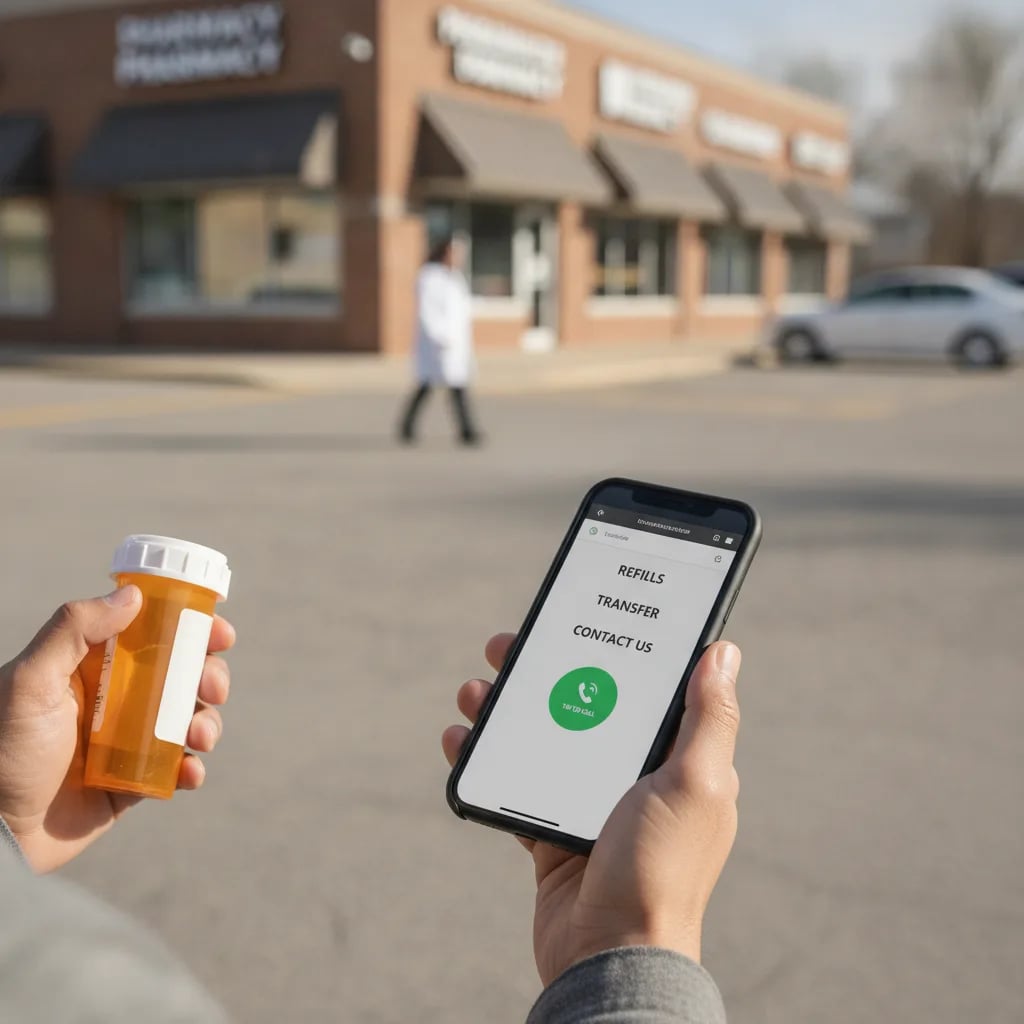
Picture the patient who actually needs you. They're standing in a parking lot, phone in hand, prescription bottle in the other, searching for a pharmacy that can transfer it today. They're not on a laptop. They're on a small screen, in a hurry, and if your site fights them, they tap back and call the next result. That moment is exactly what pharmacy website mobile optimization is built to win.
That's why pharmacy website mobile optimization isn't a technical nicety. It's where most of your patients meet your pharmacy for the first time. Get it right and a phone visitor becomes a call or a refill. Get it wrong and you lose them before they ever see your hours. And unlike a billboard or a radio ad, the cost of a slow mobile site compounds quietly, one lost patient at a time, with no line item to point to.
This guide covers what mobile optimization means for a pharmacy, how to tell if your site is failing on phones, the fixes that matter most, and how to keep it fast over time. It's part of our pharmacy website tips guide.
What is pharmacy website mobile optimization, and why does it matter?
Pharmacy website mobile optimization is the work of making your site fast, readable, and easy to act on from a phone. It covers speed, tap-friendly buttons, legible text, and a clear path to call or refill. It matters because most of your patients are already on mobile.
The numbers make the case. Statista reports that mobile devices generated 62.54% of global website traffic in late 2024. For a local pharmacy, the share is often higher, because people search for a pharmacy the moment they need one, wherever they happen to be standing.
Mobile visitors also carry intent. Backlinko reports that 76% of people who run a near-me search visit a related business within a day. That patient isn't browsing. They're deciding. A mobile site that loads fast and puts your phone number one tap away wins that decision.
Is your pharmacy website actually mobile-friendly?
The fastest test is to open your own site on your phone and try to call. If you have to pinch, zoom, or hunt for the number, your patients do too. A mobile-friendly pharmacy site passes a short list of checks without any fuss.
Look for the obvious failures first. Text you can't read without zooming. Buttons too small or too close to tap cleanly. A phone number that's plain text instead of a tappable link. A layout that scrolls sideways. Any one of these sends a hurried patient elsewhere.
Run through the checklist below on a real phone, not just a shrunken browser window. The two behave differently, and only the phone tells you the truth about what a patient feels.
Pay special attention to the pages a patient lands on most. Your home page, your contact page, and any refill or transfer page carry the most weight, so they have to pass every check. Our guide to the essential pharmacy website pages covers which pages matter most, and those are the ones to test first on mobile.
Is your site mobile-ready?
Open your site on a phone and check each one.
Your score: count your checks out of 6. Anything unchecked is costing you calls.
How does mobile speed affect calls and refills?
Speed decides whether a patient stays long enough to act. Slow pages lose conversions before the call button ever loads, and mobile is where slowness hits hardest. A site that drags on a phone quietly leaks the patients you paid to attract. Worse, cellular connections are slower and less stable than office wifi, so a page that feels fine on your desk can crawl in a parking lot.
The gap is real. HubSpot reports that web pages load 70.9% slower on mobile than on desktop. So the version most of your patients see is also the slowest one, unless you've done the work to fix it.
Responsiveness matters as much as raw load time. Core Web Vitals now measure how quickly a page reacts to a tap, and 34.5% of websites fall into the poor range for that metric. A patient who taps your refill button and feels nothing happen assumes it's broken. Then they call a competitor.
The mobile patient is the high-intent patient
Someone searching for a pharmacy on their phone usually wants to act now, not later. That makes a fast, tap-ready mobile site one of the highest-return fixes you can make, because it converts the patients who are closest to choosing you.
Why does Google rank your mobile site first?
Google ranks your site on its mobile version first, which means your mobile site is your ranking site. Since Google completed mobile-first indexing in July 2024, the desktop version no longer carries your rankings. If your mobile pages are slow or thin, your local visibility suffers.
This changes the stakes for a local pharmacy. A weak mobile site doesn't just frustrate the patients who reach it. It keeps you from reaching new ones, because Google judges your whole site by what it sees on a phone.
And local ranking pays off directly. Semrush reports that businesses in Google's local 3-pack get 93% more calls, clicks, and direction requests than positions four through ten. A faster mobile site helps you climb toward that pack, and the calls follow. For the build choices behind this, see our comparison of a custom pharmacy website versus a template builder.
What are the highest-impact mobile fixes for a pharmacy?
The highest-impact fixes are the ones a hurried patient feels first: a tap-to-call button, fast-loading images, simple navigation, and thumb-friendly forms. Start with the changes that shorten the path from landing on your site to calling or refilling.
Not every fix is worth the same effort. The table below ranks the common ones by how much they move the needle against how hard they are to do, so you can start where the return is highest.
| Mobile fix | Impact | Effort |
|---|---|---|
| Tap-to-call button on every page | High | Low |
| Compress and resize images | High | Low |
| Sticky call and refill bar | High | Medium |
| Simplify navigation to core actions | Medium | Medium |
| Larger tap targets and readable type | Medium | Low |
| Shorten and thumb-optimize forms | Medium | Medium |
Two changes stand out for the return. A tap-to-call button and compressed images both take little effort and pay off fast. If you do nothing else this month, do those. The deeper fixes, covered in our pharmacy website features checklist, build on that foundation.
A sticky call and refill bar deserves a special mention. It keeps your two most valuable actions visible no matter how far a patient scrolls, so they never have to hunt back to the top to reach you. On a phone, where scrolling is constant, that small persistent bar quietly lifts both calls and refill starts. It's a medium-effort change with outsized payoff for a pharmacy.
Related: A mobile patient who taps to call still needs you to capture that action, so make sure it's tracked. See how to track pharmacy website conversions →
How do you test and maintain mobile performance?
Test on a real phone first, then use free tools to measure what you can't feel. Google's PageSpeed Insights scores your mobile speed and flags specific problems. Pair that with a monthly check on your own phone, and you'll catch most issues before patients do.
Make it a habit, not a one-time project. Sites slow down over time as you add images, plugins, and pages. A quick monthly look keeps small problems from piling into a slow, frustrating experience. The patients deciding between you and the chain notice the difference, even if they couldn't name what felt off.
Watch what changes after you fix something, too. If calls or refill requests tick up the month you speed up the site, that's your proof the work matters. Tracking those actions, alongside understanding how patients choose a pharmacy, turns mobile speed from a guess into a measured win.
Common mobile mistakes pharmacies make
A few errors show up again and again on pharmacy sites, and each one quietly turns a ready patient away. Knowing them makes your monthly check faster, because you'll know exactly what to look for.
The first is the pop-up that won't close. A newsletter or discount pop-up that fills a phone screen and hides its tiny close button is a fast way to lose someone who just wanted to call. On a small screen, a pop-up that's mild on desktop becomes a wall.
The second is hidden contact information. Owners often bury the phone number and hours in a footer or behind a menu, assuming patients will dig for them. On mobile, a hurried patient won't dig. If your number isn't visible and tappable within the first screen, you're losing calls you never see.
The third is the desktop PDF. Posting hours, forms, or service lists as a PDF forces a phone user to pinch and scroll through a document built for paper. Put that information in plain mobile text instead, where it loads instantly and reads cleanly.
The last is the slow hero image. A large, uncompressed banner at the top of the home page is often the single biggest drag on mobile load. It's also the easiest fix on the list. Resize and compress it, and the whole page feels faster.
The bottom line for independent pharmacies
Your mobile site is your front door now. Most patients reach you on a phone, in a hurry, ready to act, and the site either helps them or hands them to a competitor. Mobile optimization is how you keep that door open.
So start small and start now. Make your number tappable, compress your images, and test the result on your own phone today. Those few changes capture the patients who are closest to choosing you. A fast, simple mobile site won't just rank better. It will turn more of the people already searching into the patients who fill scripts with you.
A pharmacy site built fast for phones
RevealSite builds mobile-first pharmacy websites with tap-to-call, fast load times, and refill actions one tap away. Request a free demo and see your site on a phone the way patients do.
Request a Free Demo →Want a faster pharmacy website?
Explore Smart Websites & SEO →Frequently Asked Questions
What does mobile optimization mean for a pharmacy website?▼
It means making your site fast, readable, and easy to act on from a phone. That includes quick load times, a tappable phone number, large buttons, simple navigation, and refill or transfer actions reachable within a tap or two.
How fast should a pharmacy website load on mobile?▼
Aim for a few seconds on cellular data, not office wifi. Pages load 70.9% slower on mobile than desktop, so test on a real phone. Slow load and slow tap response both lose patients before they can call or refill.
Does mobile optimization affect my pharmacy's Google ranking?▼
Yes. Google completed mobile-first indexing in July 2024, so it ranks your site on its mobile version first. A slow or thin mobile site lowers your local visibility, which keeps you out of the map pack where most calls come from.
What is the most important mobile fix for a pharmacy?▼
A tappable phone number on every page is the highest-return change, since most mobile patients want to call. Pair it with compressed images for faster load. Both take little effort and capture the patients closest to choosing you.
How do I test my pharmacy website on mobile?▼
Open it on your own phone and try to call and refill. Then run Google's free PageSpeed Insights for a mobile score and specific fixes. Repeat monthly, because adding images and pages slows a site over time.
Sources
Was this article helpful?