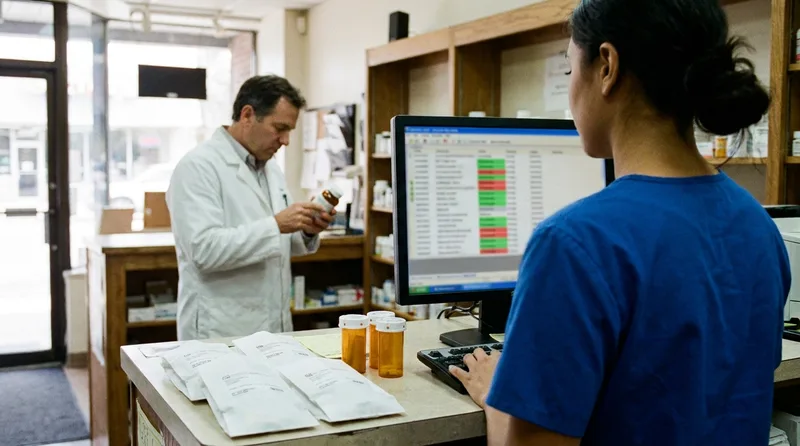
Hiring an independent pharmacy web developer who has never watched a refill move from request to pickup is a quiet, costly mistake. The site can look sharp and still fail you. When your pharmacy website design sends every refill request to a shared inbox, a technician ends up retyping each one by hand.
Scale makes that painful. According to the NCPA 2024 Digest, the average independent pharmacy dispensed 59,644 prescriptions per store in 2023, which works out to more than 160 a day. A clumsy web form touching even a fraction of those requests can quietly add hours to your team's week.
This guide covers what a pharmacy-literate developer needs to understand, where generic builds break down, and which questions to ask before you sign anything.
What Does an Independent Pharmacy Web Developer Need to Know?
The developer needs to understand how prescriptions, refills, transfers, and patient messages move through your store, because every form and button on the site feeds that flow. Without that picture, the site becomes a brochure that creates extra work for your team.
Think of your pharmacy as a chain of handoffs. A patient requests a refill. A technician verifies it, a pharmacist reviews it, the order gets filled, and someone tells the patient it's ready. Your website touches the first and last of those steps, and sometimes the ones in between.
Which Touchpoints Must a Developer Map First?
Here are the touchpoints a developer has to map before designing a single page:
Refill requests: which fields your team needs and where the request lands in your queue.
Transfer requests: what a new patient must provide so your technicians can contact the previous pharmacy.
Vaccine and testing appointments: how open slots, screening questions, and reminders match your real schedule.
Delivery and pickup: who confirms a delivery window, and how the patient hears back.
Enrollment forms: medication synchronization, medication therapy management, and compounding requests each need different information.
A good developer asks to shadow a shift, or at least interview your technicians, before opening a design tool. That hour of listening prevents weeks of rework. If the first question is about color palettes, you've learned something important.
How Do Refill and Transfer Workflows Shape Your Website?
Refill and transfer workflows decide which fields a form needs, where each submission goes, and how a patient learns the status. A form built without those details forces your team to call patients back or retype data, which erases the time the website was supposed to save.
Every request a form sends lands in a queue someone on your team must work.
Picture a patient who types a prescription number into a generic contact form. The message lands in a front-desk inbox beside vendor emails and spam. Someone reads it between phone calls, retypes it into your pharmacy management system, and hopes the number was right. Multiply that by dozens of requests a week, and the website becomes a second job.
Refill friction matters beyond convenience. According to a 2024 analysis in the NIH's PubMed Central archive, roughly 50% of patients with chronic conditions don't take medications as prescribed, which contributes to about $528 billion in annual US morbidity and mortality costs. A clean refill path supports the adherence work your team already does.
Transfers deserve the same attention. A patient moving from a chain pharmacy rarely knows what your team needs to pull a prescription over. A good transfer form asks for the previous pharmacy's name and phone number, the medications to move, and the best time to reach the patient. Then it tells the patient what happens next.
A workflow-aware refill form follows a few simple rules:
It asks only for fields your team verifies, such as name, date of birth, and prescription number.
It presents pickup or delivery as a clear choice, not a free-text note.
It routes each submission to a monitored queue, not a personal inbox.
It confirms receipt, so patients don't phone to check.
Why Must an Independent Pharmacy Web Developer Understand HIPAA?
Because forms that collect prescription numbers, medication names, or health details can involve protected health information. The developer decides where that data is stored, who can read it, and which third-party tools touch it, so those choices belong in the build plan from day one.
HIPAA is a federal privacy law, and your obligations don't disappear because a form lives on a website. Your attorney or compliance advisor should make the legal calls. The developer's job is to build a technical setup that lets you follow them.
Where Does Patient Data Leak Most Often?
Data tends to leak in four ordinary places:
Form notifications: a submission sent as plain email may sit in several inboxes.
Analytics and advertising tags: some tools collect page and form details you never meant to share.
Chat widgets: transcripts may be stored by a vendor you haven't vetted.
Scheduling embeds: a third-party booking tool may collect health-related answers.
What Should You Ask Your Developer About Data Paths?
Tell your developer early if you plan to add text reminders or online scheduling later, since each new tool adds another data path. Then ask them to list every tool that touches a form and explain where each submission goes. If the answer is fuzzy, keep asking. For a deeper look at secure intake, read this guide to a HIPAA-compliant pharmacy website for secure patient intake.
Which Pharmacy Services Need Their Own Website Workflow?
Vaccinations, point-of-care testing, medication therapy management, medication synchronization, compounding requests, and delivery each need their own website workflow. Each service has different eligibility rules, scheduling limits, and staff handoffs, so one generic contact form can't serve them all well.
Each service on your website needs a real person and a real schedule behind it.
Pharmacies have become front-line service providers, and the numbers show it. According to CDC FluVaxView data, retail pharmacies administered approximately 36.31 million adult flu vaccine doses during the 2024-25 season. Testing adds another layer. A 2025 AMCP Foundation survey found that 52% of pharmacies operating a lab offer point-of-care testing, most often for influenza (58%), blood glucose (46%), and HbA1c (40%).
What Does Each Service Ask of the Website?
Each service asks the website to do something different:
Vaccines: real appointment slots, age and eligibility screening, and a walk-in option if you offer one.
Point-of-care testing: clear descriptions of which tests you run and when a pharmacist is on duty.
Medication therapy management and med sync: an enrollment path that captures consent and a preferred contact method.
Compounding: a prescriber-focused intake that asks for different details than a patient refill form.
Delivery: service area, cutoff times, and a confirmation step.
List every service you offer today and name the one person who owns each workflow. Hand that list to your developer before the first wireframe. If a service has no owner, the site will promise something your team can't deliver.
Plan the site around how your pharmacy runs
Talk with RevealSite about how your refill, vaccine, and delivery workflows should shape your website.
How Does an Independent Pharmacy Web Developer Differ From a Generalist?
A pharmacy-focused developer builds around your dispensing, scheduling, and privacy workflows, while a generalist builds around page layouts. The difference shows up after launch, when staff either save time on refills and bookings or spend it fixing forms that don't match how the store runs.
Generalists aren't careless. Many build excellent restaurant and retail sites. But they've rarely lived through a Monday-morning refill rush, so they have no reason to ask the questions that matter.
Workflow
Generic build
Pharmacy-workflow build
Refill request
Contact form sent to a shared inbox
Structured form routed to a monitored queue
Transfer request
Free-text message
Fields technicians need to contact the prior pharmacy
Vaccine booking
Open calendar with any slot available
Slots tied to staffing, with screening questions
Hours and services
Static text on one page
Accurate hours, holiday changes, and a page per service
Privacy
Default plugins and tracking tags
Reviewed tools with documented data paths
Updates
Support tickets with no pharmacy context
Changes checked against your real workflow
The same logic applies to search. A specialist understands the queries patients actually type, which is why it pays to read about Why You Need a Pharmacy SEO Expert, Not a Generic Agency. Specialization saves you from teaching your vendor the basics on your dime.
What Should You Ask a Pharmacy Web Developer Before You Sign?
Ask the developer to describe how a refill request moves from your website to a filled prescription, and listen for specifics. A strong answer names your pharmacy management system, the people who handle each step, and the points where data could be exposed.
A short workflow review before signing reveals how well a developer understands your store.
Vague answers are the warning sign. A developer who says "we can connect it to anything" hasn't yet looked at your setup. A developer who asks which system you use, who monitors the queue, and what happens on weekends is already thinking like your staff.
Press on the word "integration." It can mean a form that emails your team, a feed that creates a task in your pharmacy management system, or a two-way link with a refill app. Each carries a different cost and a different risk, so make the developer say which one they mean.
Which Six Questions Belong on Every Sales Call?
Bring these six questions to every sales call:
How does a refill request travel from the form to my pharmacy management system?
Which tools touch form data, and where is that data stored?
How will vaccine and testing appointments match my staffing?
Who updates hours, services, and holiday closures, and how fast?
Can you show me a pharmacy site you built and explain its workflows?
What happens when I add a service or change refill tools?
Score answers on specificity, not confidence. Confident answers with no detail cost you the most after launch.
One more request is worth making. Ask for a one-page workflow map as a deliverable before design begins. If the developer can't produce one, the discovery work hasn't happened yet.
How Do You Keep the Website Aligned as Workflows Change?
Update the website whenever a workflow changes, and review the whole site at least once a quarter. A new service, a staffing change, holiday hours, or a different refill tool can each leave the site promising something your team can't deliver that week.
Patients act on what the site says. According to Backlinko's local SEO statistics, citing Google, 76% of consumers who run a "near me" search visit a related business within one day. List a walk-in flu shot window you stopped offering, and someone shows up and leaves frustrated.
Five habits keep the site in step with your store:
Name one owner. One person collects changes and sends them to your developer.
Ask one standing question. Put "What changed that the website doesn't know yet?" on your staff meeting agenda.
Test after every change. Open the page on a phone, submit a test form, and confirm it reaches the right queue.
Keep a change log. Ask your developer for a short written record of what was edited and why.
Review every quarter. Walk through hours, services, forms, and booking slots together.
Speed belongs in that test. According to web.dev, 34.5% of websites land in the "poor" range for Interaction to Next Paint, the measure of how fast a page responds to a tap. A refill form that lags on a phone sends patients back to the phone line.
A pharmacy website only works while it matches how your store runs. So ask any independent pharmacy web developer how a refill moves from request to pickup. A developer who asks how your store runs will build forms your team can use. One who only asks about colors and layouts will give you a better-looking site that still leaves your staff retyping requests and calling patients back.
Your next step: write down your five busiest workflows and who owns each. Then ask your developer how the website will support every one of them.
See a pharmacy website built around workflows
RevealSite designs custom websites for independent pharmacies, including HIPAA-aware contact and refill forms. Request a free demo and see how the process works.
What does an independent pharmacy web developer do?▼
An independent pharmacy web developer designs, builds, and maintains your website, including refill requests, transfer forms, appointment booking, and service pages. A pharmacy-focused developer also maps those features to your daily workflows, so submissions reach the right person at your store without extra retyping or phone calls.
Do I need an independent pharmacy web developer, or will a generalist do?▼
A generalist can build a good-looking site, but you'll supply the pharmacy knowledge. If you hire one, provide a written list of your workflows and review every form's destination before launch. A pharmacy-focused developer already asks those questions, which can reduce rework after the site goes live.
Does a pharmacy website need to be HIPAA compliant?▼
A pharmacy website needs HIPAA-aware handling whenever forms collect protected health information, such as prescription details or health questions. Your attorney or compliance advisor should confirm your obligations, and your developer should document where each submission is stored, who can read it, and which third-party tools touch it.
What workflows should a pharmacy website support?▼
A pharmacy website should support refill requests, prescription transfers, vaccine and testing appointments, delivery requests, and enrollment in services like medication synchronization or medication therapy management. Each one needs its own fields, routing, and confirmation step, so your team receives complete information and patients know what happens next.
How often should I update my pharmacy website?▼
Review your pharmacy website at least once a quarter, and update it whenever you change hours, add a service, or switch refill tools. Seasonal items such as flu shot availability and holiday closures need quick edits, so patients see information that matches what your team can deliver.
What is the biggest mistake pharmacies make when hiring a web developer?▼
Choosing on design samples alone. Attractive pages say little about whether refill requests reach the right queue or whether form data is handled safely. Judge candidates on how specifically they describe your workflows, not on how polished their portfolio looks.
Who should own my pharmacy website, domain, and hosting accounts?▼
Your pharmacy should own the domain registration and have admin access to hosting, analytics, and your Google Business Profile, with logins stored where your team can reach them. That way you can change developers without losing your site, your form data, or your search visibility.
What are the signs my pharmacy website is creating extra work for my team?▼
Watch for technicians retyping form submissions, patients phoning to confirm requests they already sent, and booking slots that don't match your staffing. Track those interruptions for two weeks. If they keep happening, the site's workflows need review, and a new design alone won't fix them.